







Skip to content
Ricoh
Managed IT

Managed IT Services

Your full IT department, delivered as a service — helpdesk, infrastructure, cloud, monitoring and proactive maintenance.

The challenge

You can't recruit a 24/7 IT team. You also can't operate without one.

Pacific businesses are expected to keep cloud apps, devices and offices running 24/7 — but the local talent pool for senior platform engineers, security analysts and cloud architects is small, and salaries are climbing fast. The result: most teams are reactive, behind on patches and one resignation away from a problem.

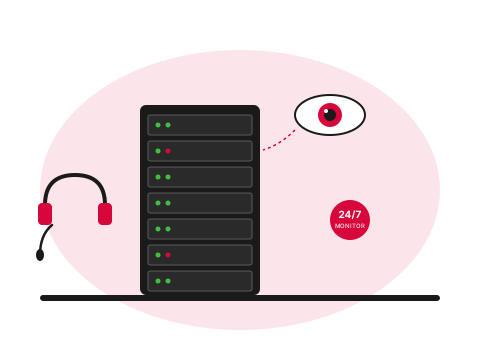
Server rack with monitoring indicator and helpdesk headset
  • What

    What is a managed IT service?

    Your full IT department, delivered as a service — helpdesk, infrastructure, cloud, monitoring, patching, projects. Can replace an internal team entirely, co-manage with existing staff, or just handle specific platforms.

  • Why it matters

    Most Pacific teams run on one IT lead

    Or no one at all. One resignation away from serious exposure. Hiring a 24/7 IT team locally is unaffordable, but operating without one is increasingly risky as compliance and customer expectations climb.

  • How Ricoh fixes it

    We run it on a fixed monthly fee

    Assess current state, pick the model (fully outsourced, co-managed, or platform-specific), and run it with documented SLAs. After-hours and weekend cover included. Local first-line, offshore second-line where scale demands.

    See Managed IT details
How we help

Our approach.

Whether you have no internal IT, a single overstretched IT manager, or a full team that needs reinforcements, our managed IT services scale to fit. We can run your entire IT environment, co-manage with your existing team, or step in for specific platforms like Microsoft 365, Azure or your network.

Capabilities

What's included.

  • 24/7 service desk

    24/7 service desk

    Multi-tier support from triage through to platform engineering — local and offshore blended.

  • Proactive monitoring

    Proactive monitoring

    RMM agents on every endpoint and server with automated alerting and response runbooks.

  • Patch & vulnerability management

    Patch & vulnerability management

    Tested, scheduled patching for Windows, macOS, third-party apps and network gear.

  • Cloud & infrastructure

    Cloud & infrastructure

    Microsoft 365, Azure, AWS, hybrid networks and virtualisation — designed and operated.

  • IT strategy & vCIO

    IT strategy & vCIO

    Quarterly business reviews, technology roadmaps and budget planning.

  • Project delivery

    Project delivery

    Migrations, rollouts, refreshes and consolidation — fixed-fee, on time, on budget.

Technology partners

Built on platforms we run in production.

We operate on the same platforms global enterprises do — but configured, monitored and supported for South Pacific businesses.

Proof

Real outcomes from Pacific customers.

12 min
critical-incident response

A Pacific logistics business cut critical-incident response time from 4 hours to 12 minutes after switching from in-house break-fix to a co-managed model with us.

Pacific logistics customer, 2024 — case study available on request.

Free resource

The Managed IT Services buyer's checklist

A short, vendor-neutral guide that walks South Pacific decision-makers through what to ask, what to compare, and how to scope a successful managed it services project.

  • What to put in the brief — and what to leave out.
  • Red flags in vendor proposals.
  • Realistic budget ranges for Pacific deployments.
Use cases

How customers use this.

  • 01

    Fully outsourced IT

    We become your IT department — strategy, helpdesk, infrastructure and projects.

  • 02

    Co-managed IT

    We complement your in-house team with platform expertise, after-hours cover and tooling.

  • 03

    Project services

    Discrete projects: cloud migration, network refresh, security uplift, M&A integrations.

FAQ

Frequently asked questions.

The questions South Pacific decision-makers ask most often before they engage on managed it services.

  • What does a managed IT service actually include?

    End-to-end coverage of the IT environment your team relies on day to day: helpdesk for user requests (password resets, software install, mobile mail setup, anything else that comes up), endpoint management (patching, monitoring, antivirus, configuration), server and infrastructure operations, cloud platform management (Microsoft 365, Azure, AWS), network operations (firewall, switching, wireless), backup and disaster recovery, and a scheduled cadence of strategic review (typically quarterly business reviews and an annual roadmap). The scope is agreed up front with a documented service catalogue so there is no ambiguity about what is included and what is project work.

  • What is the difference between fully outsourced and co-managed IT?

    Fully outsourced means we run the whole environment — your organisation has no internal IT team, and we are your IT department for every request from password resets to strategic planning. Co-managed means you keep an internal IT lead or team and we complement them with specific capabilities they cannot economically run themselves: 24/7 monitoring, after-hours coverage, platform expertise on Microsoft 365 or networking, project delivery, and escalation paths for specialised problems. Most Pacific organisations under 50 staff find fully outsourced more cost-effective; over 50 staff with an existing capable IT lead usually benefit more from co-managed. We design the relationship to fit the team you have rather than imposing one model.

  • How do you handle critical incidents after hours?

    Critical incidents are defined in the service agreement — typically anything that takes a production system offline, exposes data, or affects multiple users. A documented incident response runbook governs what counts and what happens. For Pacific markets, after-hours and weekend coverage is provided by our team on rotating call. Endpoints monitored by Huntress MDR (where Security While You Sleep is bundled) get 24/7 SOC coverage with sub-30-minute triage from a specialist team. Lower-priority issues outside business hours queue for next-business-day response with no penalty to the SLA. The split between critical and non-critical is defined in writing so the customer is never surprised by what gets handled when.

  • What does onboarding look like when we switch to your managed service?

    Onboarding is a structured 4 to 8 week project, not a sudden handover. Week 1: discovery — inventory devices, users, licences, applications, network topology, backup state, existing vendor relationships. Weeks 2 to 4: documentation and tooling — deploy management agents, set up monitoring, integrate ticketing, document runbooks for the things your team has been carrying in their heads. Weeks 5 to 6: parallel operation — we shadow your existing process, taking over piece by piece. Week 7 onwards: full operational handover with daily standups for the first month. The previous IT provider or in-house team is involved throughout where possible — handovers go better when the outgoing party is engaged, not blindsided.

  • Can we keep our existing IT staff and add you for specialist work?

    Yes — this is the co-managed model and it is the most common arrangement we run for organisations over 50 staff. Your existing IT lead handles day-to-day requests and the work they know best; we layer in specialist capabilities they cannot maintain alone — 24/7 monitoring, after-hours response, Microsoft 365 platform depth, security operations, cloud architecture, project delivery for the work that is outside their comfort zone. The relationship is collaborative rather than competitive — your IT lead is not being replaced; they are being given the backup team that lets them sleep through the weekend.

  • What happens to our IT continuity when a key person leaves the team?

    This is one of the strongest arguments for a managed relationship. Where the internal IT lead is the only person who knows how the environment is configured, their departure is a six-month exposure event regardless of how amicable the exit is. With managed IT in place, the environment is documented, monitored, and operationally familiar to a team rather than one individual. If your internal IT lead resigns, the lights stay on — we increase coverage during the gap and help recruit and onboard their replacement. If our team has a personnel change, the customer notices the difference is minimal because the runbooks and documentation are owned at the team level.

  • What does managed IT cost per user per month?

    Per-seat pricing varies with the scope of service, the complexity of the environment and whether security and licensing are bundled. For fully outsourced IT covering helpdesk, endpoint management, monitoring and Microsoft 365 administration, Pacific organisations typically land in the range of NZ$80 to NZ$150 per user per month, scaling down for larger user counts and up for environments with significant on-prem infrastructure. Co-managed pricing is typically lower per seat (because the customer's own team carries the baseline load) and structured around the specific capabilities provided rather than a per-user fee. We quote every engagement against the actual scope rather than publishing a generic per-seat rate that would be wrong for most environments.

Ready to simplify your South Pacific workplace?

Book a no-obligation conversation with a local specialist. We'll listen first and only recommend what actually helps.